How to Play FLAC (Lossless) Music on My iPhone

TL;DR: To play FLAC on an iPhone you need a third-party player, because Apple’s Music app does not support FLAC. Install Flacbox (it’s free), then either transfer your files over Wi-Fi Drive or USB, or connect your cloud storage or NAS. Your FLAC library plays at full quality, up to 384 kHz and 32-bit through a USB DAC. Flacbox also plays more than 120 formats, including FLAC, DSD, ALAC, APE, WAV, OGG, and OPUS, and it adds a 10-band equalizer, the professional BASS audio engine with real-time effects, a DSP processor, and a full-screen music visualizer.
Why Won’t My iPhone Play FLAC Natively?
Apple has its own lossless format called ALAC (Apple Lossless), and the Music app is built around that instead of FLAC. Since iOS 11, the Files app can preview a single FLAC file, but it has no music library, no playlists, no queue, no equalizer, and no cloud streaming. It is a file viewer, not a music player.
So you have two real options:
- Play FLAC with a player app, so your files stay exactly as they are. This is the one we recommend.
- Convert FLAC to ALAC, which is lossless to lossless, and then sync with the Music app.
If you have a real FLAC collection, the first option is better. You avoid a duplicate library, you skip the conversion time, and your folders and hi-res quality stay untouched. Flacbox is built for exactly this.
Option 1: Play FLAC with Flacbox
Flacbox is a hi-res music player for iPhone, iPad, and Mac. It turns your cloud storage, NAS, or computer into your own private music library, with no conversion and no subscription.
Step 1. Install Flacbox
Flacbox is a free download and runs on iPhone, iPad, and Mac.

Flacbox



Flacbox


Step 2. Get Your FLAC Files In
Pick whichever way is easiest for you:
- Wi-Fi Drive — open Connections, then Computer, then Connect using Wi-Fi, and drag files in from any desktop browser. See the Wi-Fi Drive guide.
- Cloud storage — connect iCloud Drive, Google Drive, Dropbox, OneDrive, Box, MEGA, pCloud, Proton Drive, and 20 more, then stream straight from the cloud.
- NAS or computer — connect over SMB, WebDAV, DLNA, FTP, SFTP, or NFS (Synology, QNAP, WD My Cloud, Time Capsule, or any Samba share). The full list is in the Connections guide.
- USB flash drive — plug in a SanDisk iXpand or any external reader and play straight from the drive, with no importing.
- iTunes or Finder File Sharing — over a Lightning or USB-C cable.
Step 3. Press Play
Your tracks appear in the library with tags and cover art read from the files themselves, grouped by Album, Artist, Genre, and Composer. Every track shows its exact codec and resolution, for example FLAC, 96 kHz, 24-bit.
Hi-Res Output, USB DAC, and Multi-Channel
Flacbox is built for people who care about sound quality, not just casual playback:
- Sample rate — plays from 8 kHz up to 384 kHz, with multi-channel output from 1 to 7 channels (up to 5.1 and ITU BS.775-1).
- USB DAC support — anything above 48 kHz plays at its true resolution through a USB DAC. Over the iPhone’s own output, iOS resamples audio like it does for every app, so a DAC is the way to get bit-perfect hi-res.
- Adjustable output — set the sample rate, channel count, and IO buffer duration (around 5 ms for low-latency hi-res) in Settings, then Audio Player.
- Pitch and speed — fine pitch correction, plus playback speed from 0.02× to 3.00×.
Plays More Than 120 Formats, Not Just FLAC
Alongside FLAC, Flacbox bundles FFmpeg so it can play formats that iOS cannot open on its own. You do not need to convert or clean up a mixed library first:
- Lossless and hi-res — FLAC, ALAC, WAV, AIFF, APE, WV (WavPack), and DSD (DSF and DFF, including DSD64, DSD128, and DSD256).
- Lossy — MP3, AAC, M4A, OGG, OPUS, WMA, MPC, and more.
- Tracker and MOD music — classic MOD, XM, IT, S3M, MTM, UMX, and MO3 chiptune and demoscene files that most players cannot open.
That is more than 120 formats in total, which covers just about anything in a modern music collection.
Three Audio Engines, Including the BASS Engine
You can choose the playback engine in Settings, then Audio Player, then Audio Codec:
- System Codec + FFmpeg — maximum compatibility and stability.
- FFmpeg — forces the FFmpeg path, which unlocks pitch correction and a custom output sample rate.
- BASS™ engine — the professional playback core added in Flacbox 7.6. It unlocks the real-time audio effects, the DSP processor, the music visualizer, tracker and MOD playback, and high-quality resampling. It also adds independent pitch control (±60 semitones) and tempo control (0.1× to 4×).
10-Band Equalizer, Bass Boost, and Preamp
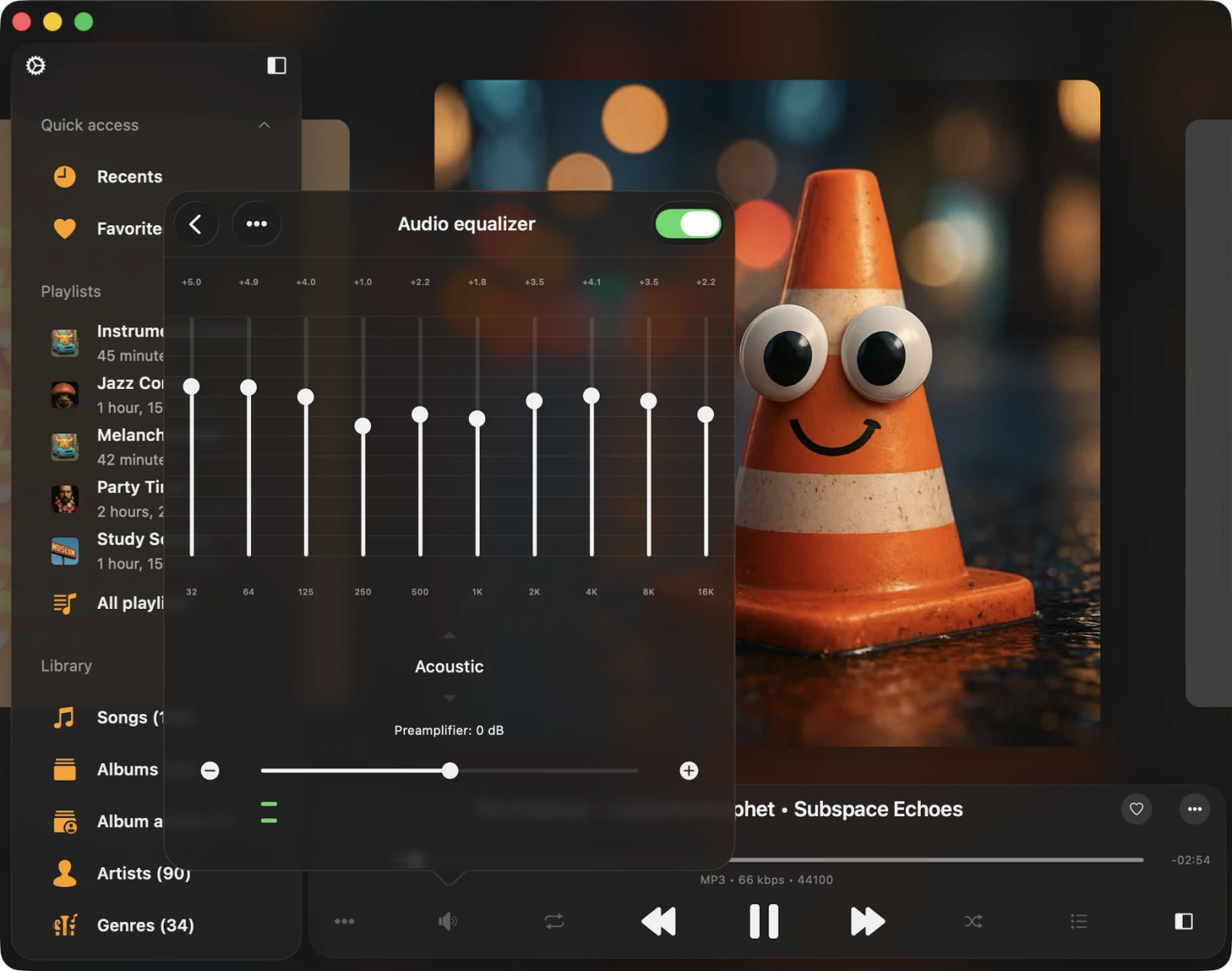
Flacbox includes a 10-band graphic equalizer with iPod-style presets like Acoustic, Bass Booster, Rock, Pop, Jazz, Classical, and Dance. There is a preamplifier to lift quiet tracks without clipping, and you can save your own presets. Tune it for in-ear monitors, a HomePod, or a car stereo. For a full walkthrough, see the equalizer guide.
Real-Time Audio Effects
When the BASS engine is on, you get eleven real-time effects that you can stack and adjust while the music plays. Nothing is re-encoded, and turning an effect off brings the original sound back right away:
- Reverb — from a small room to a cathedral.
- Delay and multi-tap echo — from a tight slapback to a long ambient tail.
- Crossfeed — blends the stereo channels so headphones sound more like real speakers on hard-panned mixes.
- Compressor — evens out loud and quiet parts, which is great for the car or the gym.
- Chorus, Flanger, Phaser, Auto-Wah, Distortion, and Stereo Rotation — creative modulation and character effects.
Flacbox also has automatic volume leveling based on the broadcast-grade EBU R128 loudness standard. Albums and shuffled playlists play at a steady level, so you are not always reaching for the volume. It comes with Light, Standard, Strong, and Night presets.
Build Your Own DSP Processor
Beyond the effects, Flacbox gives you a real-time 14-filter DSP processor that you set up yourself. You can add professional filters and parametric EQ bands, saturation and a bit crusher, and creative processors like tremolo, ring modulator, and stereo width. It all runs live on whatever you play, from a local FLAC to a cloud stream, and the DSP settings are even available in CarPlay.
Full-Screen Music Visualizer
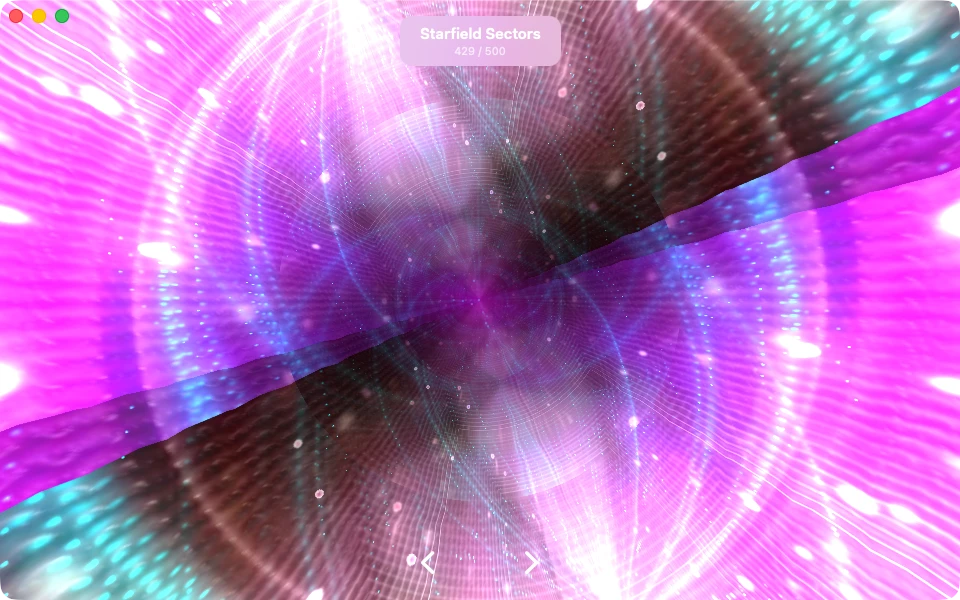
Flacbox has a built-in music visualizer that paints moving, colorful visuals in time with your music. It uses the well-known Milkdrop engine (projectM) with 500 presets, drawn with OpenGL on iPhone, iPad, and Mac. Open it from the player by tapping the More button and then Visualization. Pick a preset, or use Auto mode to shuffle through them every 30 seconds with a smooth crossfade. For step-by-step help, see the guide on how to turn on the music visualizer.
Cloud, NAS, and Offline Playback
Stream straight from more than 30 cloud services, including iCloud Drive, Google Drive, Dropbox, OneDrive, Box, MEGA, pCloud, Proton Drive, and Internxt. You can also connect self-hosted servers like Plex, Jellyfin, Emby, Subsonic, and Navidrome, and any NAS over SMB, WebDAV, DLNA, FTP, SFTP, or NFS.
When you want your music with you, the built-in download manager saves whole playlists, artists, albums, or folders for offline listening. Offline Mode then auto-syncs new tracks as they show up in the cloud. Running low on space? Clear the cache in one tap and keep streaming.
Everything Else Serious Listeners Want
- Organized library — grouped by Songs, Albums, Album Artists, Artists, Genres, and Composers, with fast search that works offline.
- ID3 tag editor — fix messy metadata and broken encodings (Cyrillic, Japanese, Chinese) and write the changes back to the file.
- Playlists — build, reorder, import and export M3U, M3U8, and CUE, and make them available offline.
- Apple CarPlay — a dedicated in-car screen for library, cloud, local, and offline music, with the equalizer on board.
- AirPlay 2 and Chromecast — cast to HomePods, Apple TV, and Cast-enabled speakers.
- Audiobook tools — multiple bookmarks, adjustable speed, a sleep timer, and resume from where you stopped.
- Widgets and more — Home Screen and Lock Screen widgets, Last.fm scrobbling, timed lyrics and LRC, and full VoiceOver accessibility.
Flacbox is free to download. Premium removes the free-version limits on cloud accounts, playlists, and offline folders, and it is available as a one-time lifetime purchase or a monthly or yearly subscription, with Family Sharing.
Flacbox
Flacbox
Option 2: Convert FLAC to ALAC for the Music App
If you really want your rips inside Apple’s Music app, you can convert them. FLAC to ALAC is lossless to lossless, so you do not lose any quality:
- On your computer, batch-convert with a free tool like XLD on Mac or foobar2000 on Windows. Both keep your tags.
- Add the ALAC files to your Music or iTunes library.
- Sync to the iPhone with Finder on Mac or the Apple Devices app on Windows.
The trade-offs are real. You now keep two copies of your library, every metadata edit means another sync, and the Music app’s layout stays fixed, with no rules-based playlists, no equalizer, no DSP, and no cloud or NAS streaming on the device. That is why most people with serious FLAC collections choose the first option.